5 Project Management Tools with Free Client Portals (No Guest Fees)
The "Guest Seat" Trap: Why Agencies Are Overpaying
You sign a new client, build out their project roadmap, and invite them to the board so they can track progress. It feels professional, transparent, and efficient.
Then the monthly bill arrives.
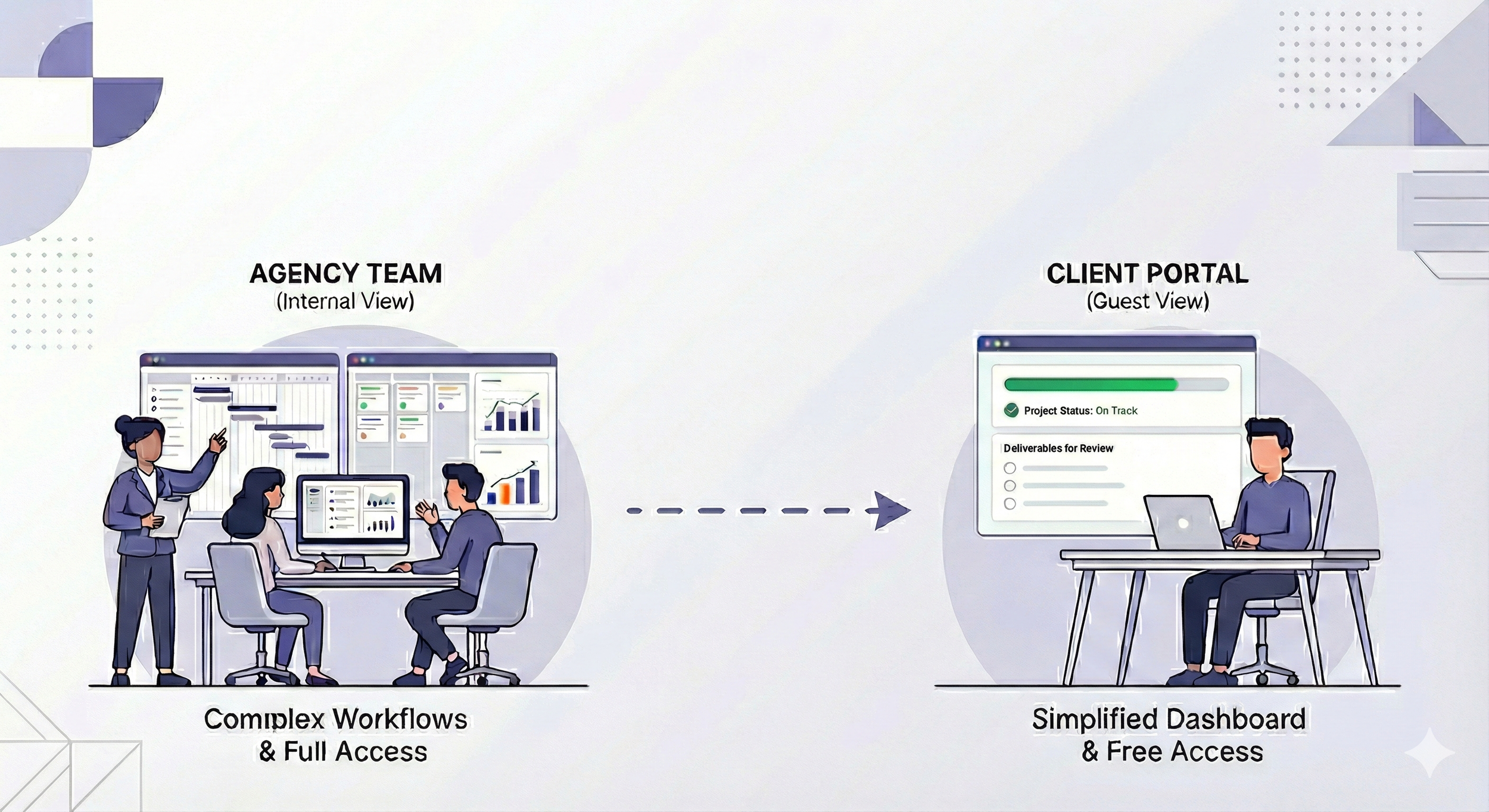
Most project management software defaults to treating every single email address as a billable user. That means you are paying full price for a client who logs in once a week just to glance at a timeline. If you have 5 staff members but 15 active clients, you are paying for 20 seats.
While pricing pages often bury the details, many top-tier tools offer Free Guest Roles or Public Read-Only Links designed specifically to bypass this cost. We analyzed the top platforms to find the ones that let you maintain transparency without destroying your margins.
Quick Comparison: The Best Free Client Portals
| Tool | Guest Cost | Client Capabilities | Best For... |
|---|---|---|---|
| Asana | Free (Unlimited) | Full collaboration (Comment, Complete tasks) | Interactive clients who give feedback. |
| ClickUp | Free (Read-Only) | View Lists, Gantt, and Docs | "Hands-off" dashboards & reporting. |
| Trello | Free (Board Guest) | Move cards, Comment, Attach files | Simple visual workflows. |
| Wrike | Free (Collaborators) | Review & Approve assets | Creative Agencies (Video/Design). |
1. Asana: The Gold Standard for Collaboration
If your clients need to assign tasks back to you, comment on specific subtasks, or approve items, Asana is the winner.
How it works: Asana differentiates between "Members" (your employees) and "Guests" (external users). As long as the person you invite has an email domain different from yours (e.g.,
@gmail.comor@clientcompany.com), they count as a Guest.The Limit: On the free plan, you can invite unlimited guests to specific tasks or projects.
Why Agencies Love It: You can create a "Shared Project" for the client while keeping your internal "Admin Project" private. The client feels part of the team without seeing your messy internal notes.
Is Asana feeling like overkill for your team? You might actually just need a task list. Check out our guide on Project Management Software vs. Task Management Tools to understand the difference.
2. ClickUp: The "Read-Only" Dashboard King
ClickUp takes a different approach. While they do have Guest Seats, their superpower is the public view. This is perfect for clients who don't want to log in to anything, but just want a link they can click to see if you are on schedule.
How it works: You can take any List, Board, or Gantt Chart in ClickUp and generate a public link.
The Client Experience: The client receives a URL. When they open it, they see a live, read-only version of your project. They cannot mess anything up, delete tasks, or leave comments.
Best Use Case: Sending a weekly status report. Instead of typing an email, just send the link with live project status.
If you are migrating from Trello to ClickUp to use this feature, read our tutorial on Switching from Trello to ClickUp without losing data.
3. Trello: The "Open Kitchen" Concept
Trello is the simplest option, but it comes with a risk since you have limited ability to hide anything from clients.
The Pro: Trello allows you to invite people to a specific Board for free. It's incredibly easy and most clients already know how Trello works.
The Con: If you invite a client to a Trello board, they generally see everything on that board. You cannot easily have "Internal Comments" that the client can't see unless you pay for expensive Power-Ups.
Verdict: Use Trello only if you have a 100% transparent relationship with the client and don't mind them seeing the sausage get made.
4. Wrike: The Creative Agency's Secret Weapon
People often miss Wrike, but if you work with designs or video, it has a huge advantage: Visual Feedback.
The Feature: You can invite clients as free Collaborators. They can look at your images or videos and click right on them to leave a note (like clicking a specific second in a video to say, "Cut this scene").
Why it pays off: Most tools force you to buy extra software (like Frame.io) to do this. Wrike has it built-in for free.
Conclusion: Which "Portal" is Right for You?
Don't let software subscriptions eat your agency's margins.
Choose Asana if your client wants to engage (comments, assigning tasks).
Choose ClickUp if your client just wants to watch (timelines, status updates).
Choose Wrike if your client needs to approve creative work (videos, designs).
ScaleUp Tip: The "Incognito" Test
Before you send that first invite to a client, create a personal Gmail account and invite yourself as a guest first.
Open the link in an Incognito Window to see exactly what the client sees. This takes 2 minutes and prevents the embarrassing "I clicked the link but it says Access Denied" email later.
Client portals are great for transparency, but make sure you are tracking the internal costs too. If you are worried about over-servicing clients, check out these Tools for Tracking Project Budgets.
